
Historic Releases for a Data collection
Once you have released one or more data to data collection, click on ‘Historic Releases’ button inside Reporting dataset context menu.
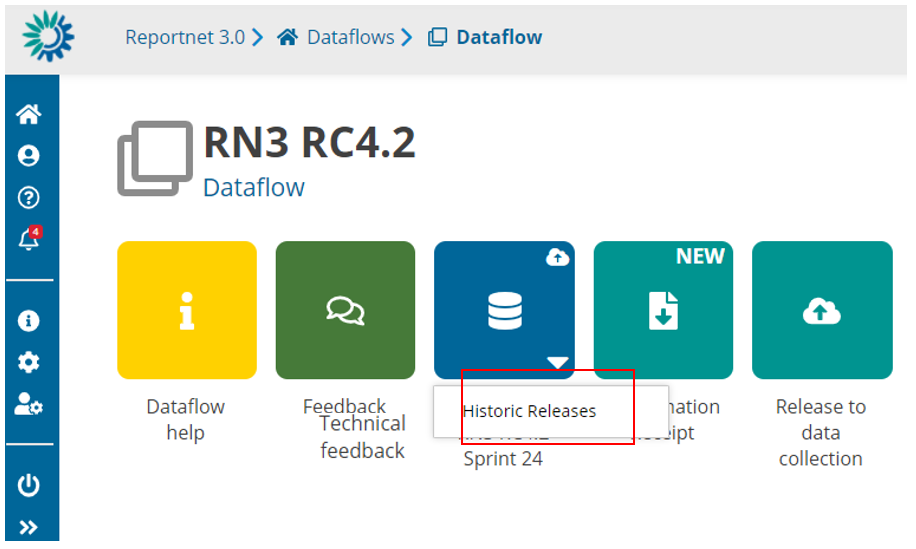
A new dialogue will appear with the release history for this dataset
Historic Releases EU dataset
From the ‘Dataflow’ page click on click on ‘Historic Releases’ button inside EU Dataset context menu.
i. A new dialogue will appear with the release history for this EU Dataset.
ii. If we have a released dataset, on the ‘Country code’ column we have a
link with a redirection to this country dataset.
iii. Note: This Historic will be empty until Data collections is copied to EU datasets correctly.
Custodian/Admin – Release Date Update Functionality
- A new “Actions” column has been introduced in the Historic Releases section for Providers. This column is visible only to users with the Custodian or Admin role.
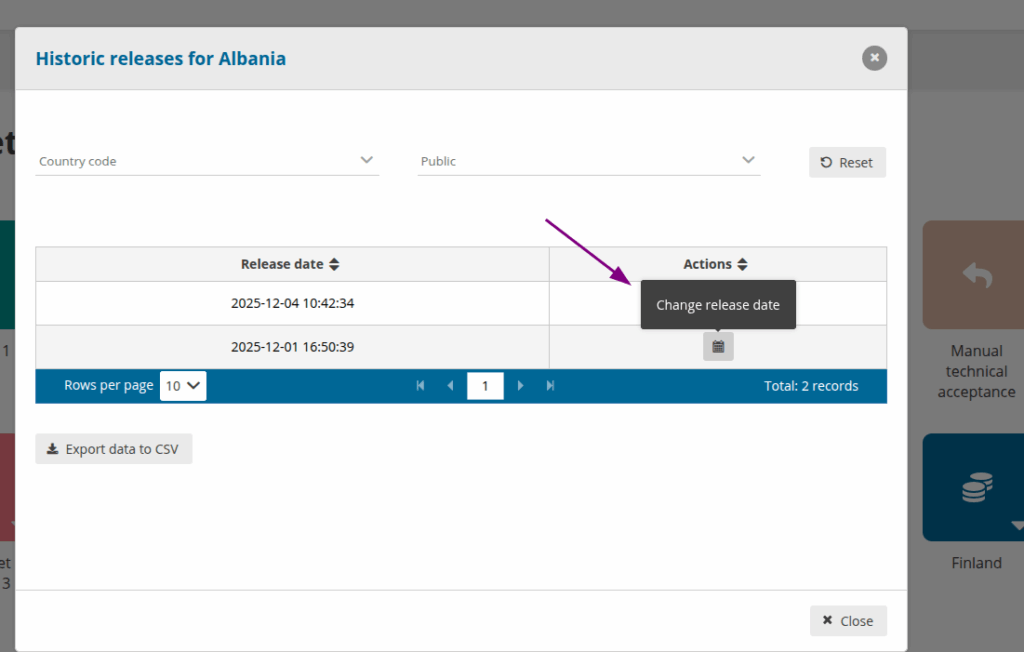
- By clicking the Calendar button, a new dialog opens, allowing the user to modify the Release Date.
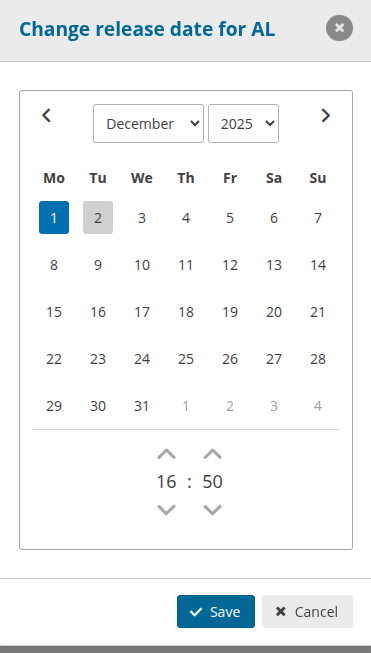
- The updated Release Date will be applied across all schemas of the specific provider.